Hazel rule to delete ResearchGate pdf cover pages
I download a load of academic papers in as PDFs from ResearchGate, since that’s often the only place a free version of a paper is available. Unfortunately, ResearchGate prepend downloaded PDFs with a branded cover page, which I obviously don’t want.
On MacOS, it’s easy enough to manually delete pages from a PDF using Preview. But with a bit of help from Hazel, it’s possible to automate it.
Hazel is a super-useful automation tool for MacOS. It doesn’t work with PDFs natively, but it does allow shell scripting, and luckily there’s a free command-line tool for manipulating PDFs in the form of PDFtk Server [mirror of MacOS 10.11+ compatible version].
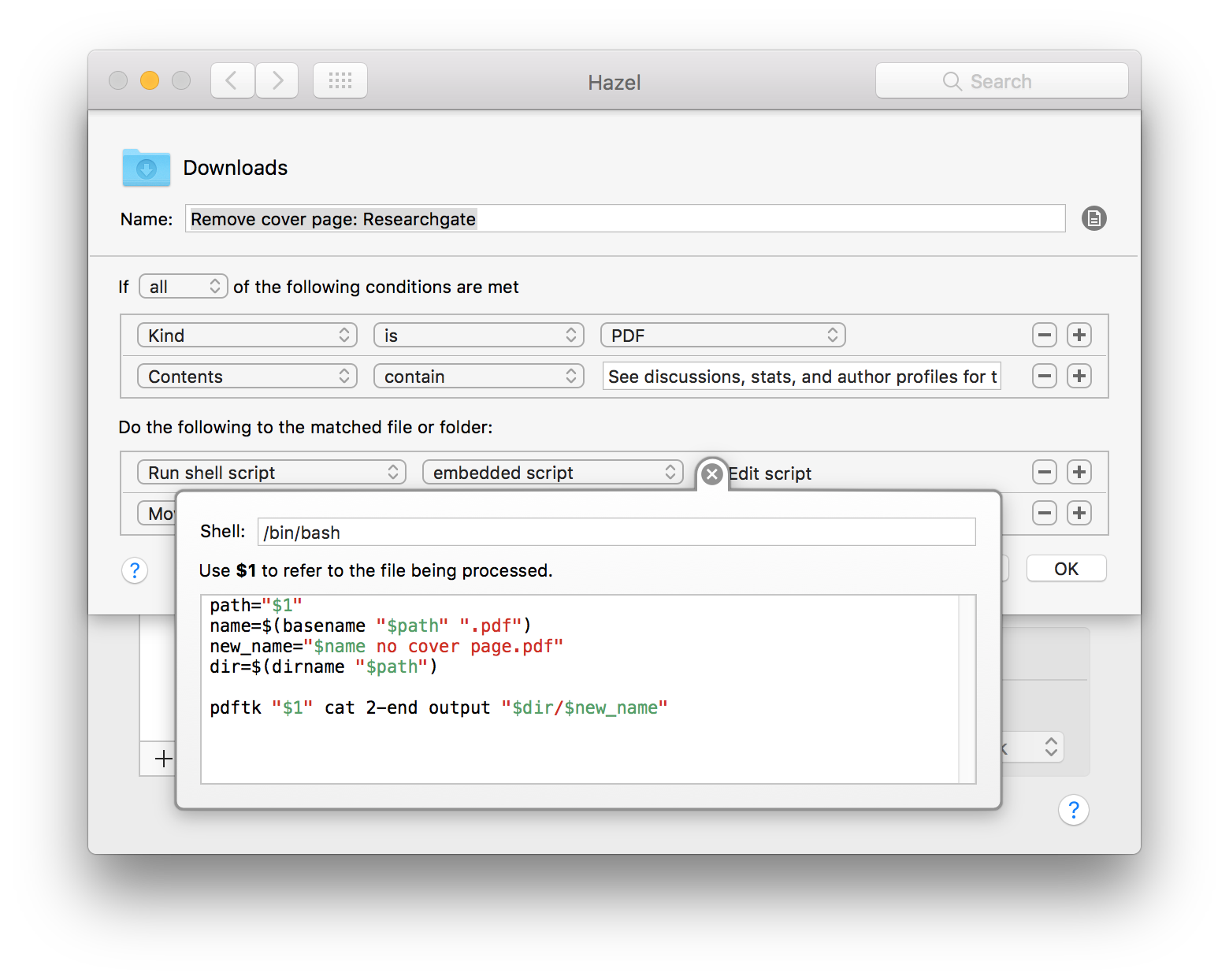
In Hazel, I made a rule for the Downloads folder, which looks for PDFs containing text from the ResearchGate cover page:
See discussions, stats, and author profiles for this publication at: https://www.researchgate.net
When this happens, it runs a shell script which uses PDFtk to remove the first page:
path="$1"
name=$(basename "$path" ".pdf")
new_name="$name no cover page.pdf"
dir=$(dirname "$path")

pdftk "$1" cat 2-end output "$dir/$new_name"
To explain what this script does:
path="$1"stores the path to the matched file in a variable named$path.name=$(basename "$path" ".pdf")strips out the directory name and extension, leaving the file name in$name.new\_name="$name no cover page.pdf"makes a new filename, since PDFtk doesn’t allow you to re-save over the same file (this took me ages to figure out!).dir=$(dirname "$path")extracts the directory component of the matched file (this is just the Downloads folder).pdftk "$1" cat 2-end output "$dir/$new\_name":pdftktakes the matched filename ("$1") and runs thecat(concatenate) command, which takes all but the first page (2-end) and outputs it to the new file “dir/new_name”`.
Finally, the Hazel rule moves the old file to the Trash.

I hope that helps someone!
Edit 2017-08-05: Protip: you can do the same for Jstor by duplicating the rule and searching for the phrase:
For more information about JSTOR, please contact support@jstor.org.
Edit 2017-10-03: And again for journals from the Taylor & Francis family:
Full Terms & Conditions of access and use can be found at http://www.tandfonline.com